Actor developers
Actors in Apify Store are maintained either by Apify or by independent developers from the community. The type of maintenance determines who updates the Actor, tests it, and responds to your questions or issues.
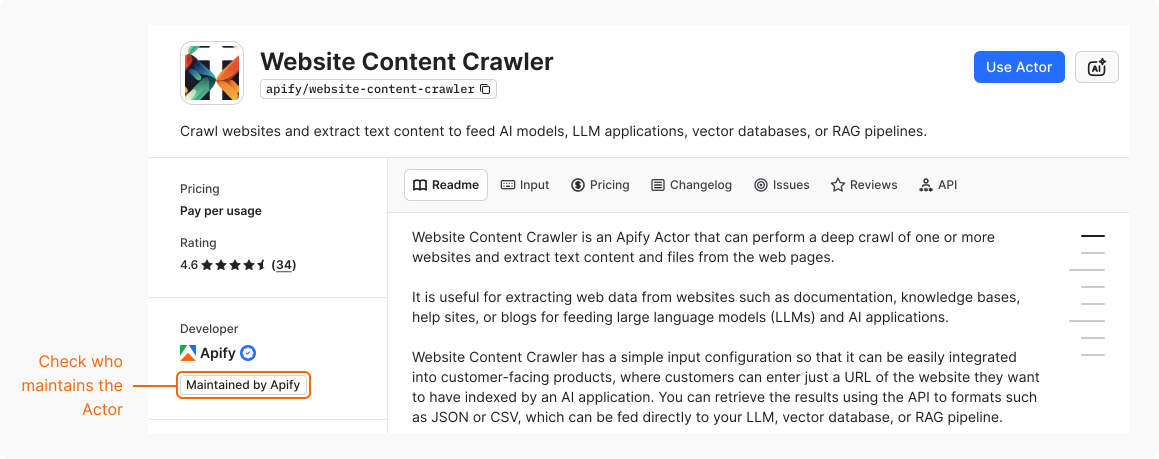
Check Actor ownership
To see who owns an Actor:
- In Apify Store or Console, go to the Actor's page.
- In Developer section, check the label: Maintained by Apify, Maintained by Apify Partner, or Maintained by Community.
Verified developers
A blue badge next to a developer's name means that Apify has verified their identity.
A missing badge doesn't mean the Actor is unsafe. A developer's verified identity is only one of many signals to consider before you run the Actor.
Apify Partners
A black and yellow badge next to a developer's name means that the developer is an Apify Partner.
Apify Partners are verified developers with a track record of delivering high-quality Actors and providing reliable support. The badge applies to the developer, not to a specific Actor. Partners are independent developers who remain responsible for the quality, reliability, and maintenance of their Actors.
Compare ownership types
Compare Actors maintained by different types of developers:
| Maintained by Apify | Maintained by the community | Maintained by Apify Partner | |
|---|---|---|---|
| Ownership | Created and maintained by Apify. | Created and maintained by independent developers or agencies. | Created and maintained by an independent developer. |
| Maintenance | Apify guarantees maintenance, updates, and bug fixes. | Developer is responsible for all updates, bug fixes, and ongoing maintenance. Apify hosts the Actor, but doesn't manage its source code. | Developer must meet Apify's maintenance standards. |
| Reliability | Subject to reliability testing to meet Apify's quality and performance standards. | Developer is responsible for ensuring the reliability and performance of the Actor. | Developer must meet Apify's reliability and performance standards. |
| Support | Apify team answers questions and issues. | Developer answers questions and issues. | Developer answers questions and issues within agreed timeframes. |
| Documentation | Actor's README maintained by Apify. | Actor's README maintained by the developer. | Actor's README maintained by the developer. |