Actors in Store
Anyone is welcome to publish Actors in the store, and you can even monetize your Actors. For more information about how to monetize your Actor, best practices, SEO, and promotion tips and tricks, head over to the Marketing checklist section of the Apify Developers Academy.
Pricing models
All Actors in Apify Store fall into one of the three pricing models:
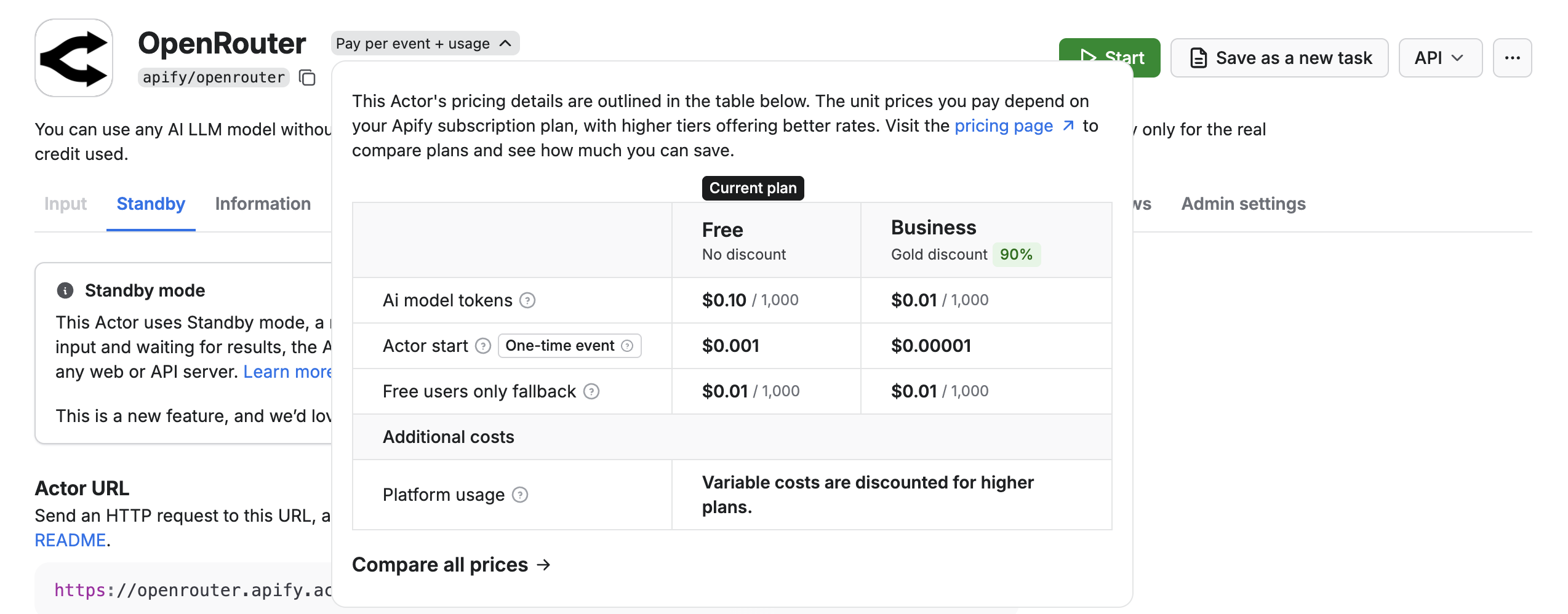
- Pay per event - you pay for specific events the Actor creator defines, such as generating a single result or starting the Actor. Most Actors include platform usage in the price, but some may charge it separately - check the Actor's pricing for details.
- Pay per usage - you only pay for the platform resources (compute units, data transfer, etc.) the Actor consumes. There are no additional charges from the Actor developer.
- Rental - to continue using the Actor after the trial period, you must rent the Actor from the developer and pay a flat monthly fee in addition to the costs associated with the platform usage that the Actor generates.
After a run finishes, any interactions with the dataset - such as reading or writing additional data - incur standard platform usage costs. This applies to all pricing models. Unnamed datasets are automatically removed after your data retention period, so long-term storage is rarely a concern.
Pay per event
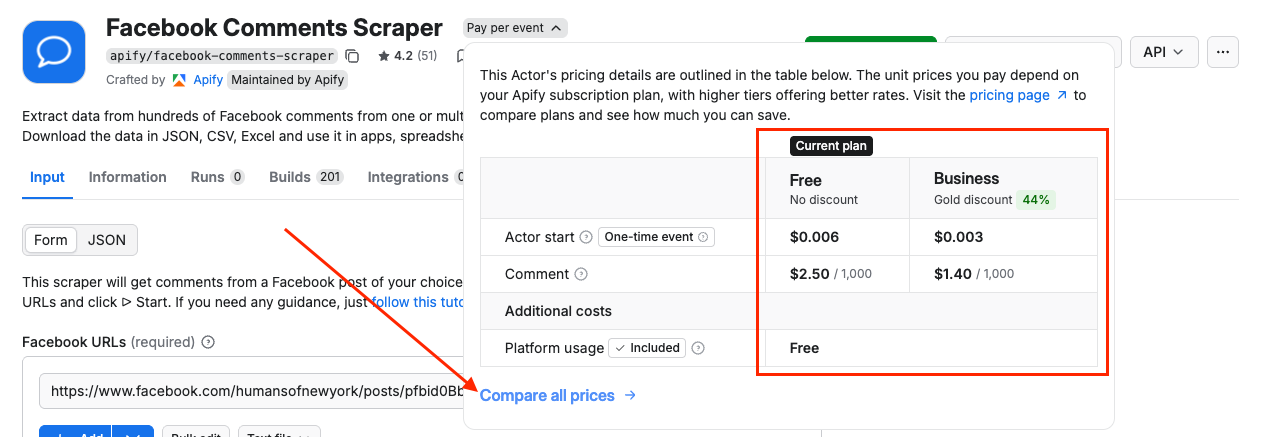
With pay-per-event pricing, you pay for specific events defined by the Actor creator, such as producing a single result, uploading a file, or starting an Actor. These events and their prices are always described on each Actor's page.
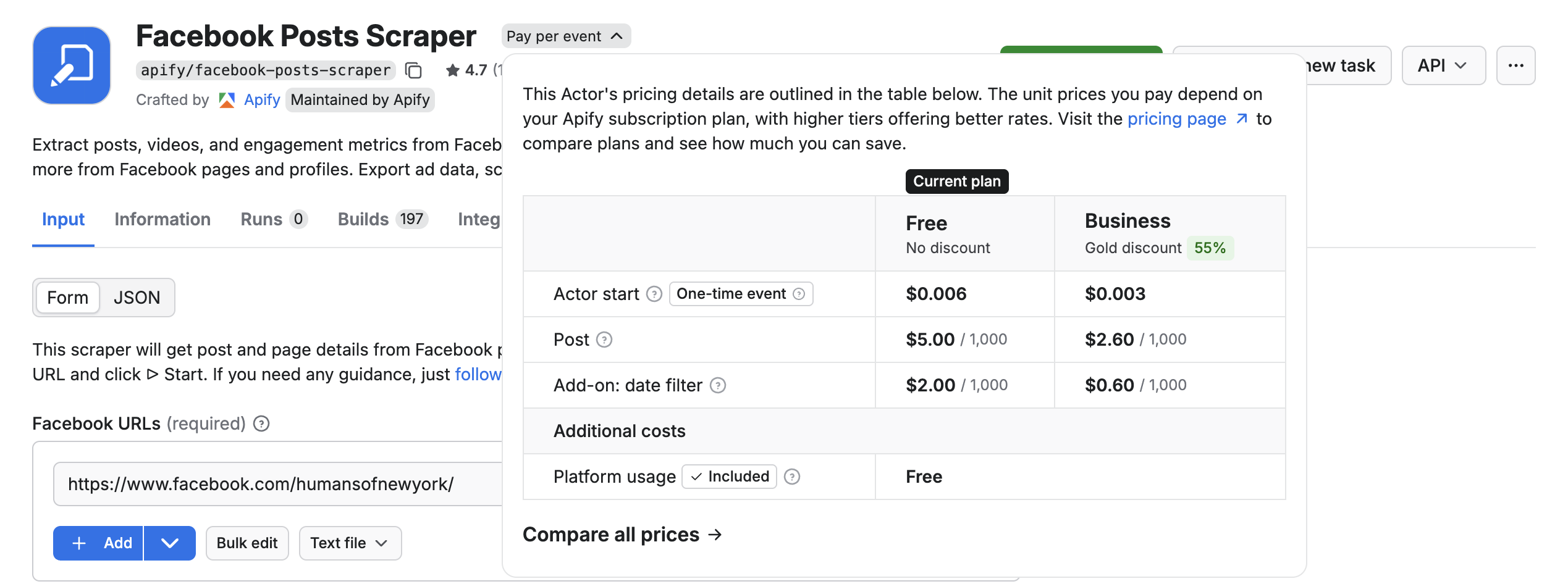
Most pay-per-event Actors include platform usage in the event price. However, some Actors may require you to pay for platform usage separately. Always check the Actor's pricing section to understand what's included.
When starting a run, you can define a maximum charge limit. The Actor terminates gracefully when it reaches that limit - and even if it does not stop immediately, you are never charged for produced events over the defined limit.

Your charges appear on your invoices and in the Historical usage tab in the Billing section of Apify Console. The cost of each run also appears on the run detail page.
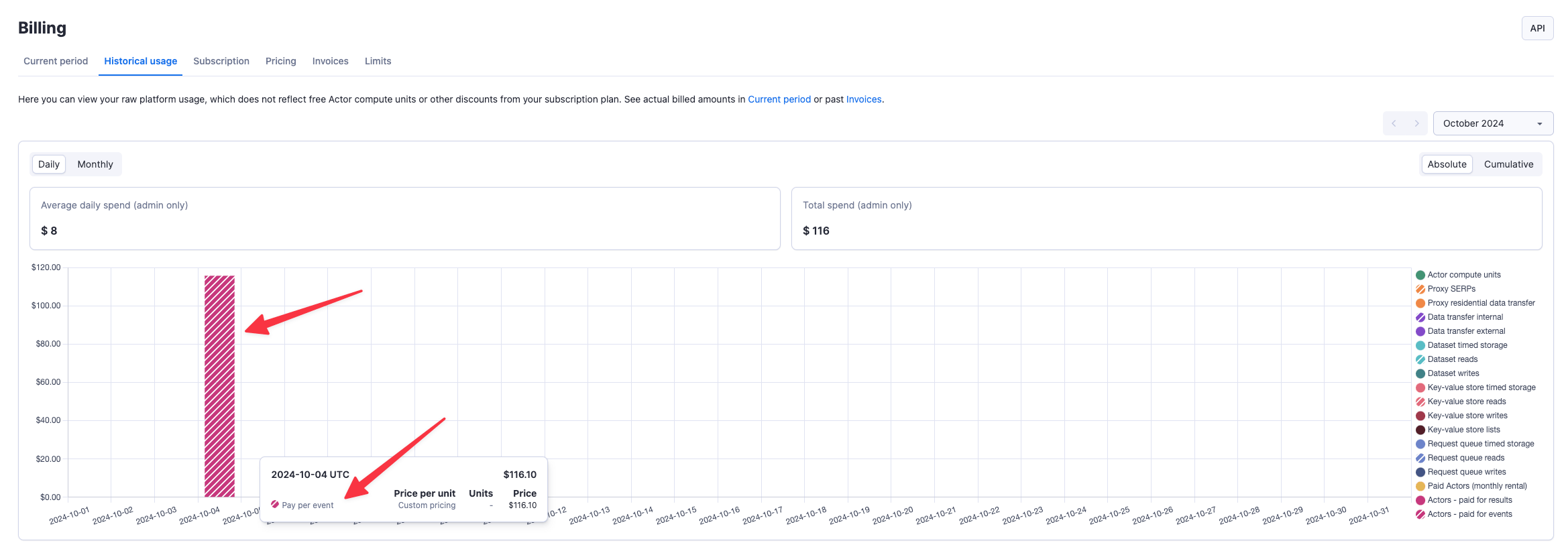
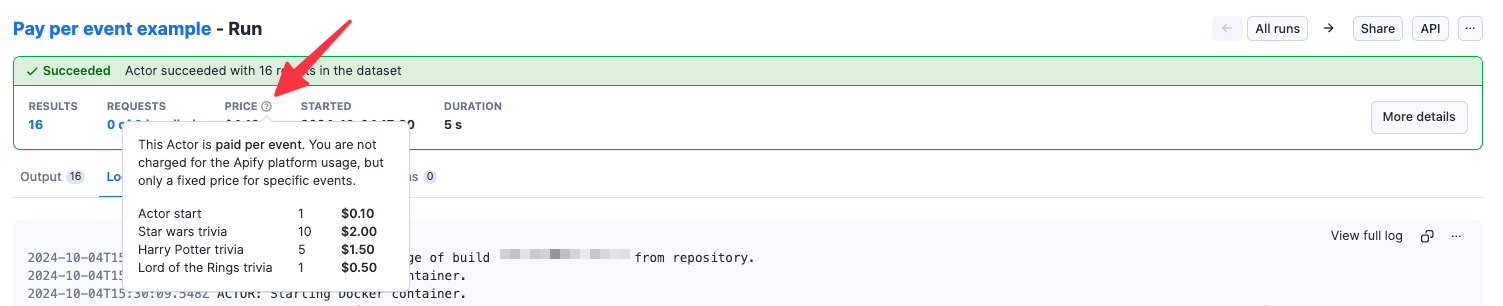
If charges seem incorrect, contact the Actor author or the Apify support team. You can also open an issue directly on the Actor's detail page in Apify Console.
Pay per usage
When you use a pay per usage Actor, you are only charged for the platform usage that the runs of this Actor generate. Platform usage includes components such as compute units, operations on storages, and usage of residential proxies or SERPs.
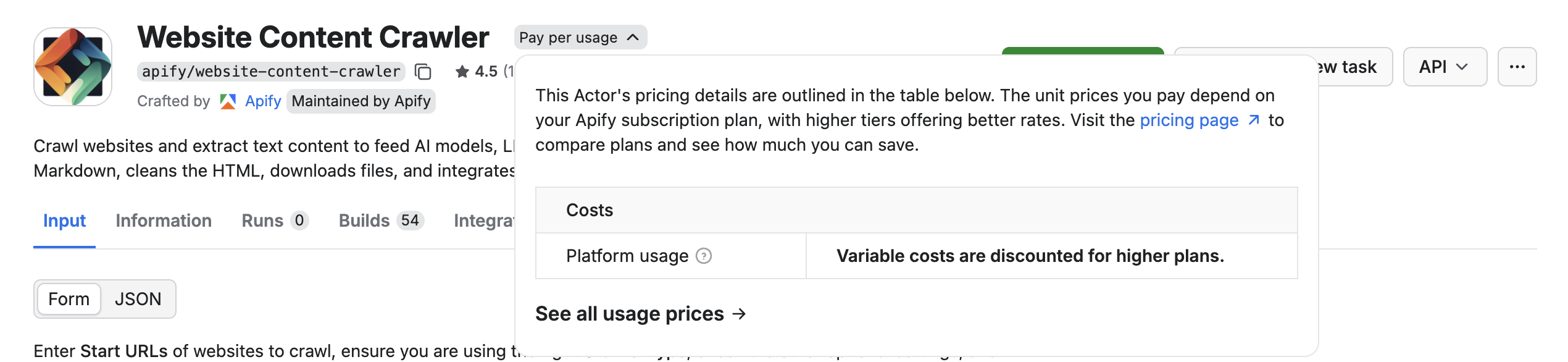
With this model, it's very easy to see how many platform resources each Actor run consumed, but it is quite difficult to estimate their usage beforehand. The best way to find the costs of free Actors upfront is to try out the Actor on a limited scope (for example, on a small number of pages) and evaluate the consumption. You can easily do that using our free plan.
For more information on platform usage cost see the usage and resources page.
Rental Actors
Apify is sunsetting the rental pricing model. The following changes are scheduled for 2026:
- April 1 - You can no longer publish new rental Actors or change pricing on existing ones.
- October 1 - Rental Actors are fully retired. All remaining Actors are migrated to pay-per-usage pricing.
To switch your rental Actor to the pay-per-event pricing model, follow the migration guide. For more information, visit the #project-rentals channel on Apify Discord.
Rental Actors are Actors for which you have to pay a recurring fee to the developer after your trial period ends.
Most rental Actors have a free trial period. The length of the trial is displayed on each Actor's page.
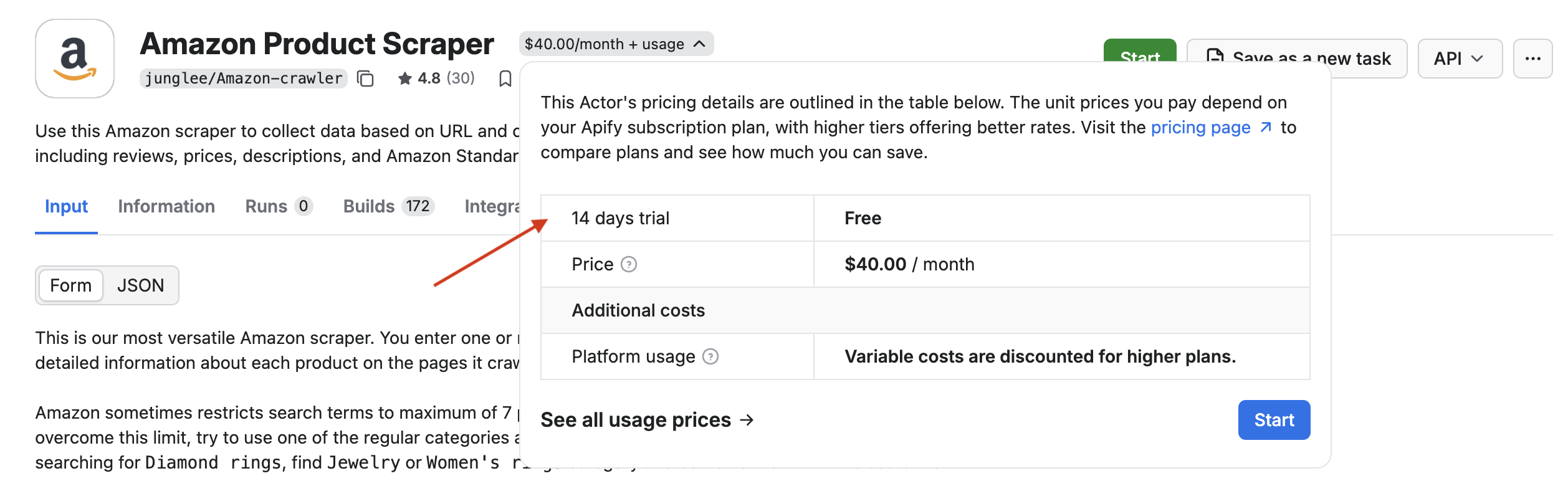
You don't need a paid plan to start a rental Actor's free trial. After the trial, you must subscribe to one of Apify's paid plans to continue renting and using the Actor. If you are on a paid plan, the monthly rental fee is automatically subtracted from your prepaid platform usage when the trial expires, then recurs monthly. If you are not on a paid plan when the trial ends, you are not charged but cannot use the Actor until you subscribe.
You always prepay the rental fee for the following month. The first payment occurs when the trial expires, then recurs monthly. You can check when the next payment is due by opening the Actor in Apify Console - you'll also receive a notification when it happens.
Example: You activate a 7-day trial at noon on April 1, 2021. Without cancellation, you are charged at noon on April 8, 2021, then May 8, 2021.
Rental fees are subtracted automatically from your prepaid platform usage, similarly to compute units. Most of the fee goes directly to the developer, and you also pay normal platform usage costs on top - usage cost estimates are usually included in each rental Actor's README (see an example). If your prepaid usage is insufficient, any overage is covered in the next invoice.
You can cancel the rental at any time during the trial or afterward so you are not charged when the current rental period expires. You can always turn it back on later.
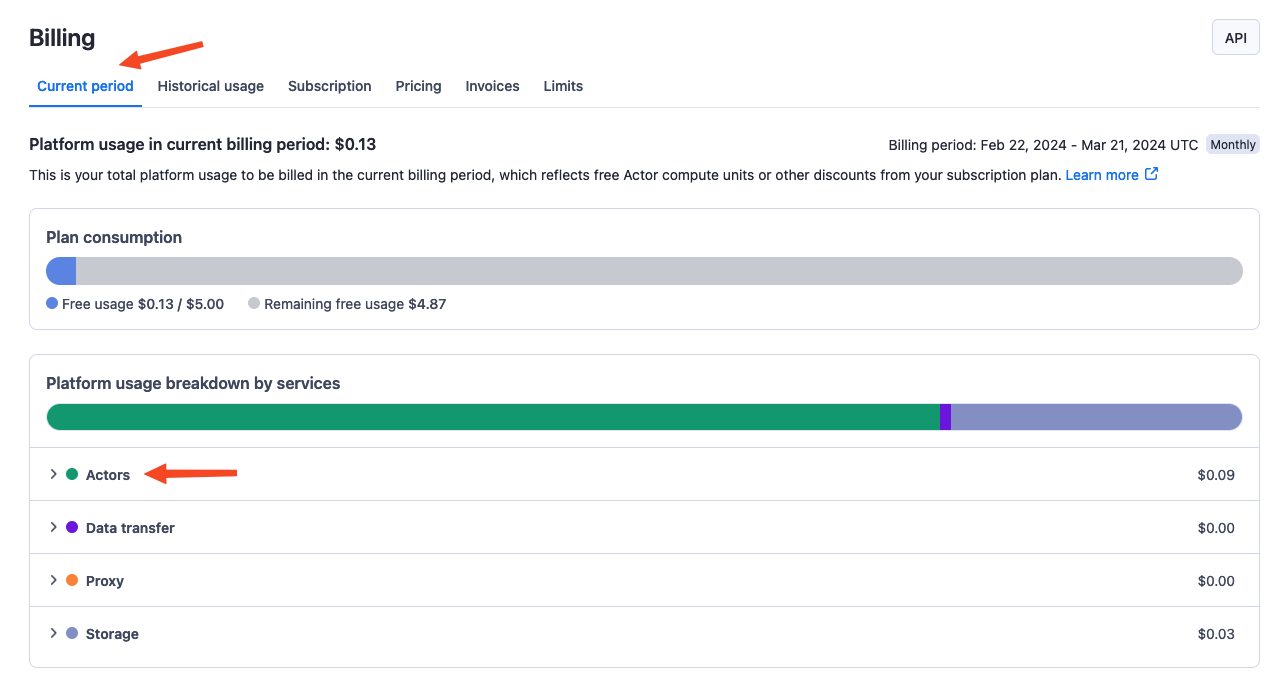
To see a breakdown of rental charges, go to the Actors tab within the Current period tab in the Billing section.
Report issues with Actors
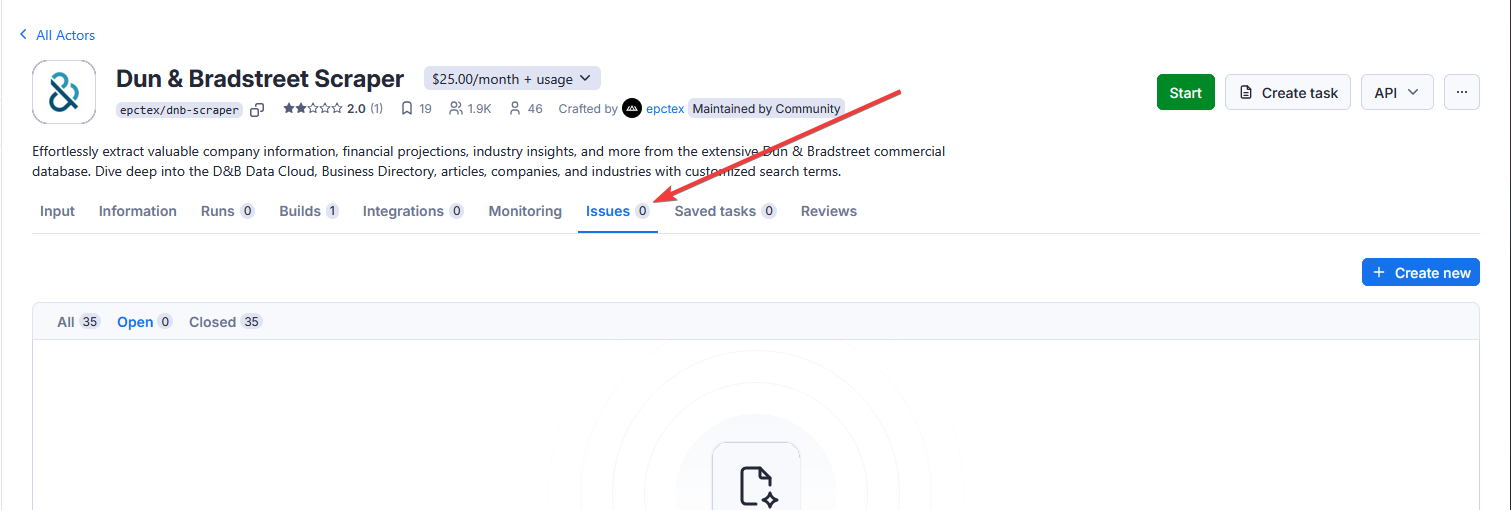
Each Actor has an Issues tab in Apify Console. There, you can open an issue (ticket) and chat with the Actor's author, platform admins, and other users of this Actor. Please feel free to use the tab to ask any questions, request new features, or give feedback. Alternatively, you can always write to community@apify.com.
Apify Store discounts
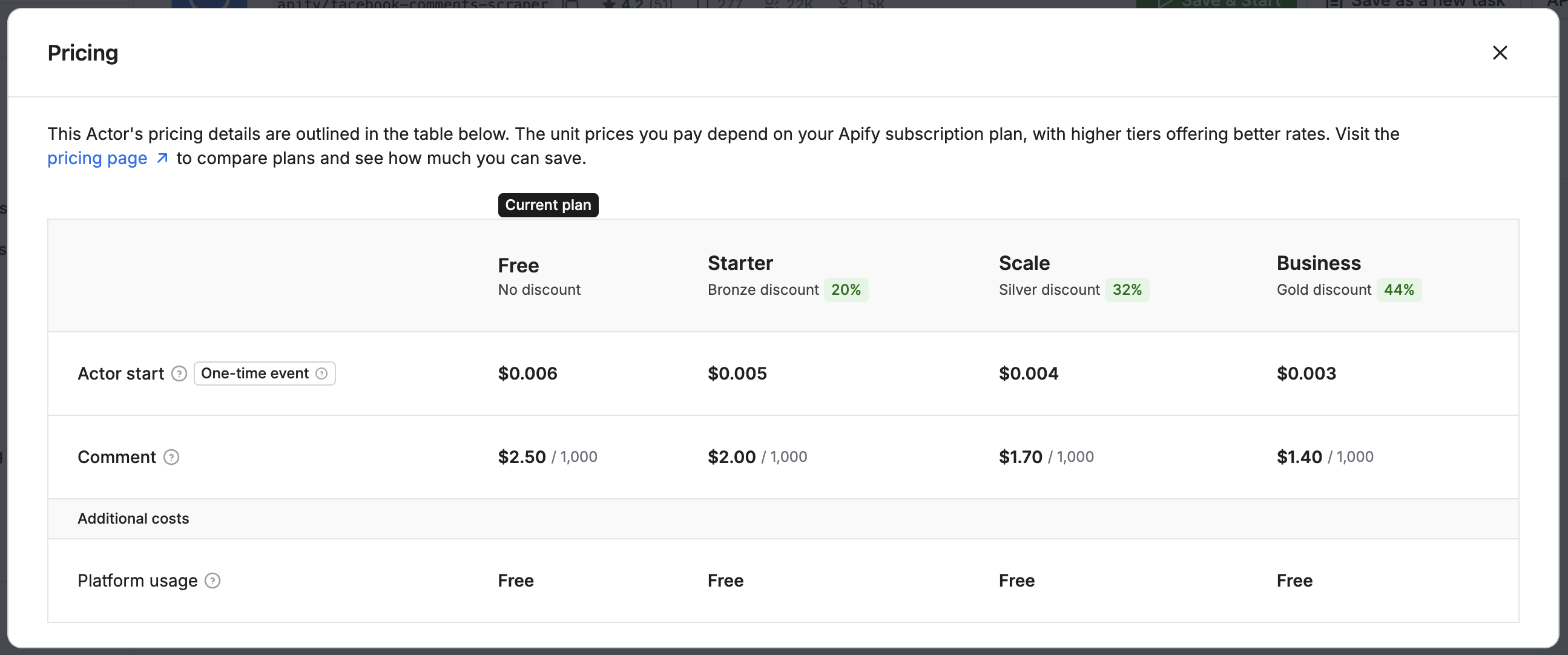
Each Apify subscription plan includes a discount tier (BRONZE, SILVER, GOLD) that provides access to increasingly lower prices on selected Actors.
Discount offers are optional and determined by Actor owners. Not all Actors participate in the discount program.
Additional discounts are available for Enterprise customers.
To check an Actor's pricing and available discounts, visit the Pricing section on the Actor's detail page in Apify Store.
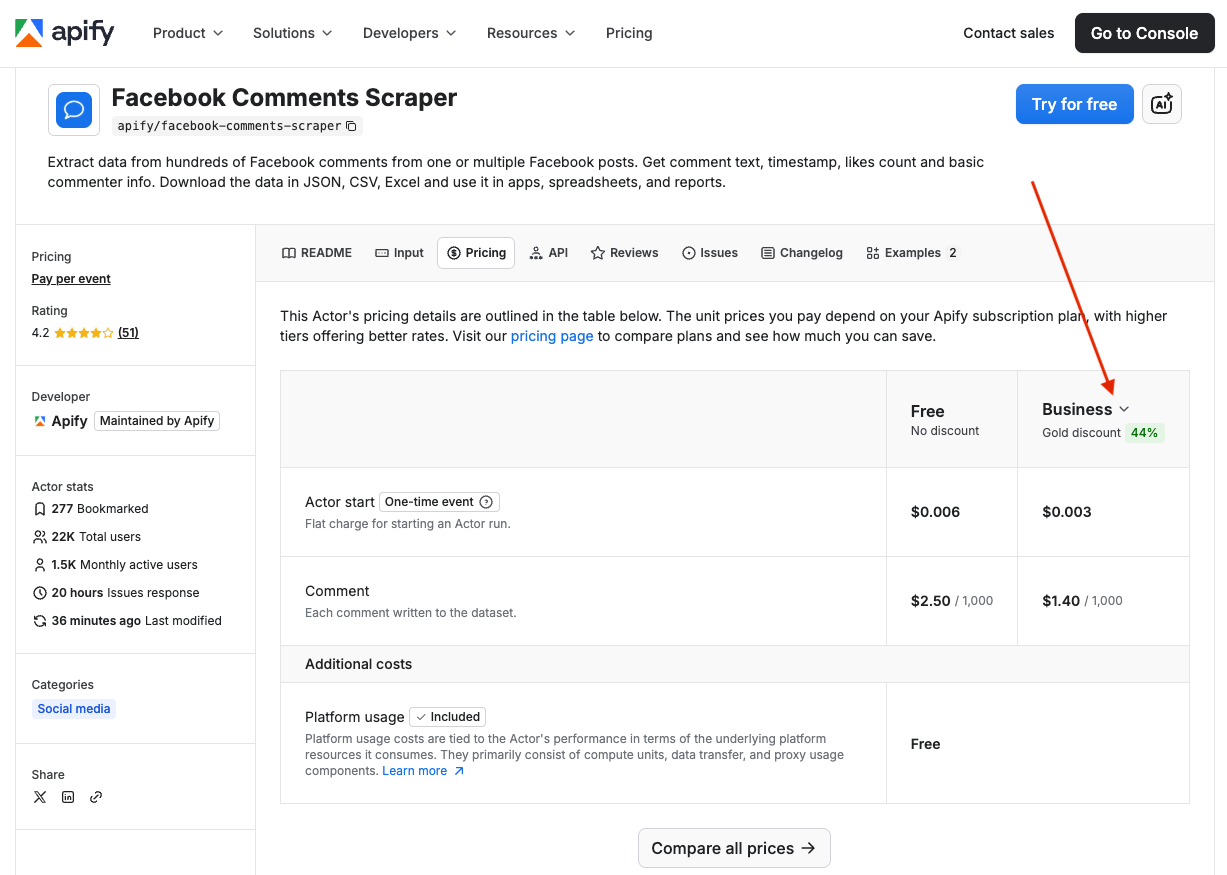
In Apify Console, you can find information about pricing and available discounts in the Actor's header section.